Two panes. One view.
Browse folders on your Mac and server side by side. Upload and download files without switching windows.
Transfer files and edit them on your server
in your favorite editor. Simple, convenient and free.
macOS 26+ · Apple Silicon · Version 1.0.0
First launch? Read the installation notes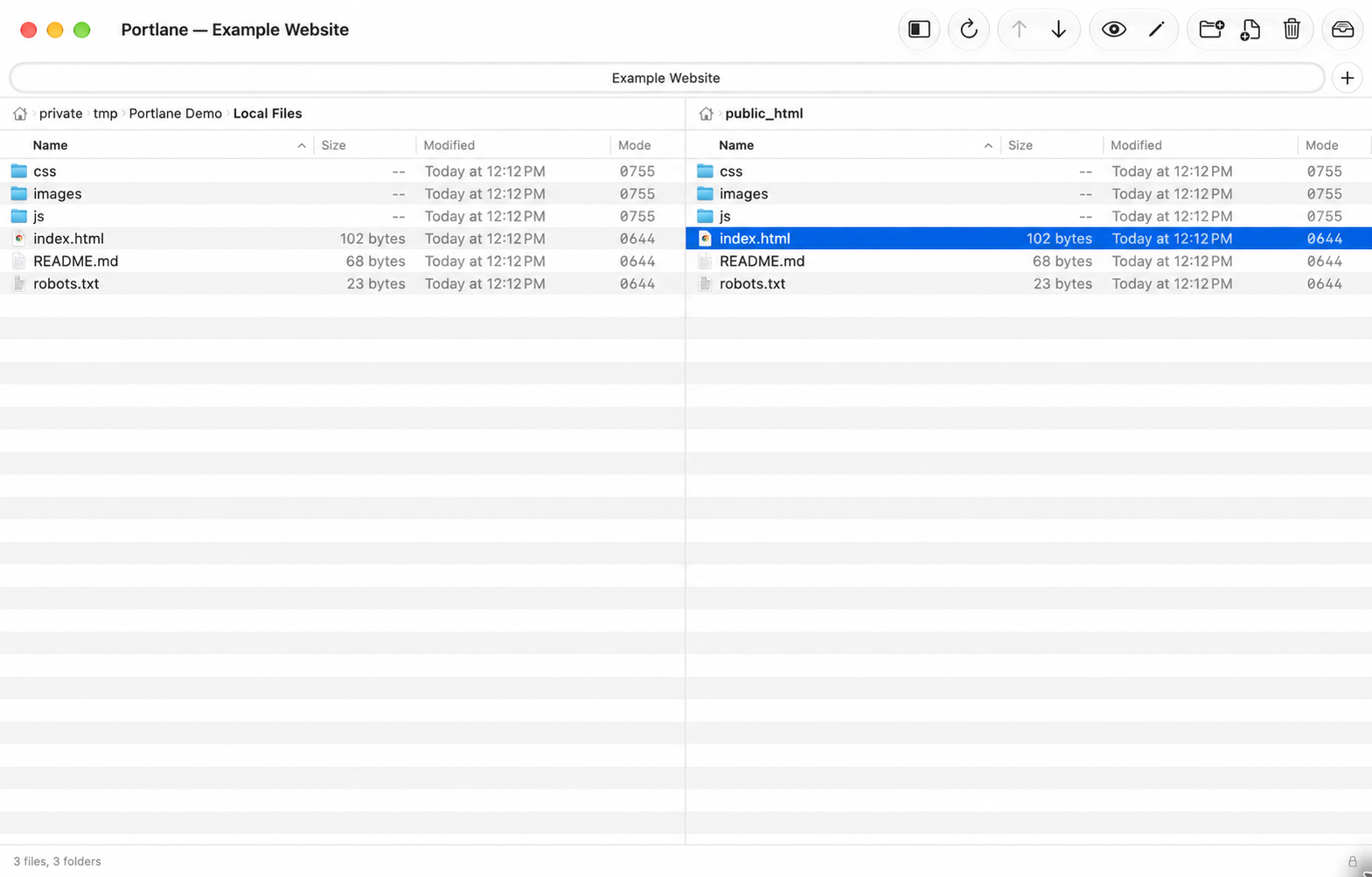
Just what you need
From connecting to your server to saving that final edit.
Browse folders on your Mac and server side by side. Upload and download files without switching windows.
Open a remote file in your preferred editor. Saved changes are uploaded back to the server.
Keep track of queued files, completed transfers and errors in a dedicated transfer panel.
Save your connections and open them in tabs. Switch between projects in a single window.
Your credentials are stored in macOS Keychain. Use SFTP or FTPES for an encrypted connection.
English on first launch, with Russian available in Settings. Choose the interface language that suits you.
A few steps to your server
Requires an Apple Silicon Mac running macOS 26 or later. An Intel installer is not currently available.
Download and open the DMG. Drag Portlane to Applications, then eject the disk image.
This build is signed with an Apple Development certificate, not Developer ID, and has not been notarized by Apple. macOS may block the first launch.
If you trust the official download, open System Settings → Privacy & Security and choose Open Anyway for Portlane.
Apple’s instructionsKeep macOS security protections enabled. Do not bypass warnings about malware or a damaged application.
Choose a protocol and enter your server and login details. To switch to Russian, open Settings → General → Language.
Good to know
Yes. All Portlane features are free for personal use and your organization’s internal work. There is no subscription, trial period or paid activation. Donations are optional.
No. Portlane is free to use, but its source code is closed. GitHub hosts product information, usage terms and official installers. Reselling, modifying or redistributing copies without the author’s permission is prohibited, subject to the exceptions in the license. Please share the official website link.
Read the full licenseFTP, FTP with explicit TLS (FTPES), and SFTP over SSH. Standard FTP does not encrypt the connection. Choose SFTP or FTPES to transfer passwords and files over an encrypted connection when your server supports them.
Open a GitHub issue with your macOS and Portlane versions, connection protocol and steps to reproduce the problem. Do not post passwords, private keys or personal information.
Open GitHub Issues
From the developer
I use Portlane in my everyday work
and test it myself. If it helps you too,
you can support its continued development.